



Free WordPress Health Scan

A free WordPress health scan — in under a minute

Enter your URL and get a free, automated health report combining WordPress Site Health and Google Lighthouse into one prioritised score.

No plugins. No admin access. No commitment.

  • 100% Free

  • GDPR-Compliant

  • Results in under a minute

See how it works

Most WordPress sites don’t fail loudly. They fail quietly.

The Problem

A site can look “fine” and still underperform. Pages load just slow enough to hurt conversions. Plugins age until updates feel risky. Small issues accumulate until nobody dares touch anything.

The scan gives you a baseline in minutes — before you spend time or money fixing the wrong things.

  • 0+

    malicious attacks are launched against WordPress every day. That's 4 attacks every second.

  • 0%

    of WordPress vulnerabilities come from outdated or abandoned plugins.

  • 0%

    of mobile visitors leave if a page loads in over 3 seconds. That's a 7% conversion loss for every additional second of loading time.

  • 0

    average total cost per minute downtime for small businesses, in addition to long-term SEO damage.

Why it matters

Get clarity before you start fixing things

Run a free scan to establish a clear baseline. You'll see where real risks exist, before you spend time or money on changes that don't matter.

  • No plugin required

  • No admin access

  • EU-based data storage

  • Read-only, external scan

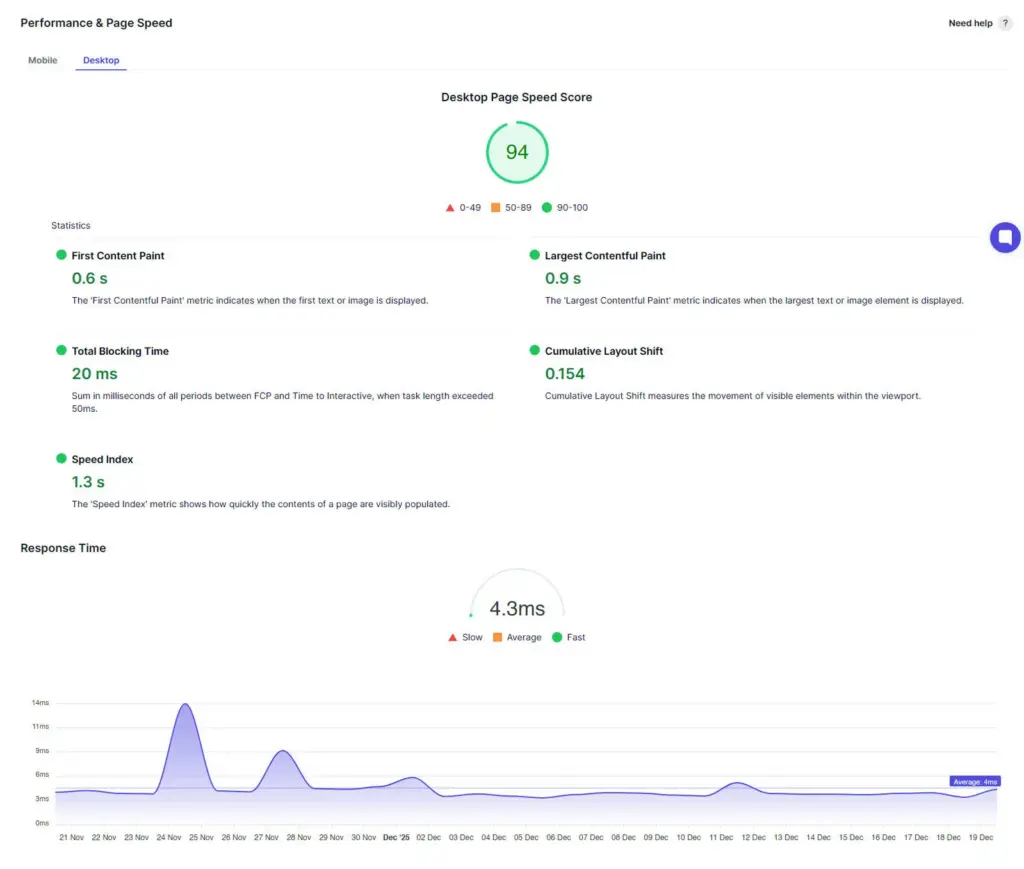
  • A web performance report shows a desktop page speed score of 94. Metrics include fast first contentful paint, low total blocking time, and minimal layout shift. A response time graph is shown below.
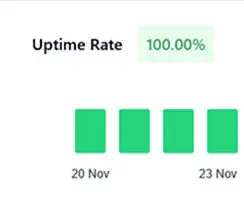
  • A status dashboard shows an uptime rate of 100.00%, with four green bars representing continuous uptime from November 20 to November 23.
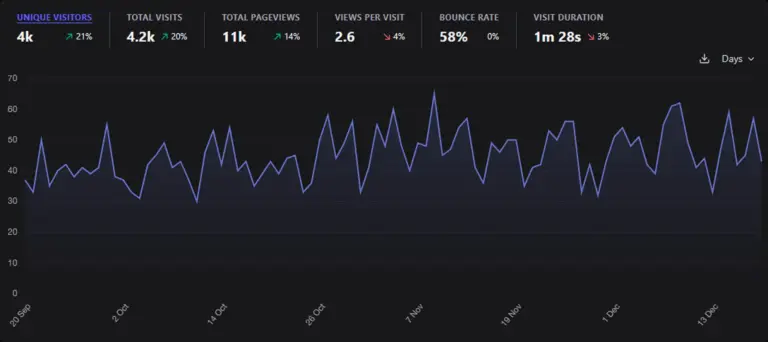
  • A dark-themed analytics dashboard shows line graph data of website visits from late September to mid-December. Metrics include 4k unique visitors, 11k pageviews, 58% bounce rate, and 1m 28s average visit duration.

This is a diagnostic snapshot intended to support decision-making. A scan does not replace a full audit.

  • 0+

    Years of Experience

  • 0+

    Managed Websites

  • 0%

    Satisfaction Rate

How it works

A structured, automated site health scan — designed to surface real risks

This scan is a diagnostic snapshot, not a full audit. It’s fully automated and based on reproducible signals from WordPress Site Health and Google Lighthouse. If deeper structural issues are detected, the report highlights what deserves a closer look — and what doesn’t.

  • Initial health check

    I validate the URL and collect baseline WordPress health signals to confirm accessibility, configuration, and environment status.

  • Data collection

    WordPress Site Health diagnostics are collected and Lighthouse checks are run to capture performance, SEO, and best-practice metrics.

  • Analysis

    Results are normalised and correlated so individual signals can be evaluated in context rather than viewed in isolation.

  • Scoring

    The scan produces a health score, a grade, and a prioritised checklist that highlights real risks versus background noise.

This scan is generated automatically using a custom analysis pipeline to ensure consistent, repeatable results without subjective interpretation. No manual setup. No plugins required.

Insights you get from the report

Your benefits

The report gives you a clear, practical snapshot of your site’s current state — so you can make informed decisions without digging through technical dashboards or guessing what matters.

  • Performance

    Clear insight into loading speed, bottlenecks, and mobile behaviour.

  • Security

    Visibility into outdated components and configuration issues that increase security exposure.

  • Plugins

    Outdated plugins, conflicts, and optimisation opportunities that commonly affect stability and performance.

  • Overall health

    A consolidated view of your site’s technical condition — bringing performance, security, and stability into a single report.

  • WordPress Site Health

  • Lighthouse Analysis

  • Performance Analysis

  • Core Web Vitals

  • Security Analysis

  • Plugin Analysis

  • Configuration Analysis

  • Environment Checks

  • Health Score

  • Website Diagnostics

  • WordPress Performance

  • WordPress Security

  • Site Health Report

  • WordPress Site Health

  • Lighthouse Analysis

  • Performance Analysis

  • Core Web Vitals

  • Security Analysis

  • Plugin Analysis

  • Configuration Analysis

  • Environment Checks

  • Health Score

  • Website Diagnostics

  • WordPress Performance

  • WordPress Security

  • Site Health Report

FAQ

Before you run the scan

Clear answers to the most common questions about scope, safety, and what happens next.

Did you know that...

0%

of all cyber breaches impact businesses with fewer than 1,000 employees.

Recent studies from Verizon and IBM show attackers now actively favor smaller, less‑protected organizations. “Small” doesn't mean safe. It means less prepared.


Get a free health report

Yes, there’s no obligation. The scan and report are free. If you need help implementing fixes afterward, that’s a separate, optional project.

To run the scan, I need:

  • Your website URL
  • WordPress Site Health data (you’ll be guided through how to provide this)
  • Your name and email address to deliver the report

No admin access is required, and no plugins are installed as part of the scan.

No. The scan is read-only and runs externally. It does not modify files, settings, or content, and it won’t impact performance or uptime.

The scan evaluates publicly observable signals, including:

  • WordPress Site Health indicators (environment, updates, configuration)
  • Performance and best-practice metrics from Google Lighthouse

The result is a technical snapshot — not a penetration test or a full audit.

Yes. The scan is 100% GDPR-compliant. All data is processed and stored on servers located in the EU. The scan uses only the information required to generate the report:

  • The website URL
  • The WordPress Site Health data you provide
  • Your name and email address (to deliver the report)

No personal website content, user data, or credentials are accessed. Data is stored only as long as necessary for reporting and comparison, in line with GDPR requirements.

Get in touch

Hi! Click on my name below to start a chat on WhatsApp
I usually reply within a few hours.